In my last role, I was building and maintaining automation tooling between systems with MS PowerAutomate, mainly for managing the approval of documents in SharePoint which are then pushed out to an externally hosted Drupal site via Azure cloud function.
When I started in the role, I was tasked with troubleshooting the flow. The team raised the issue that the workflow would often fail. No error was being captured, which meant you would need to go into a flow run and see which action failed. ideally this error should be captured, and be sent to the user with some meaningful detail, and copied to the support team to provide support.
However, digging in deeper, i noticed that over 90% of these failed runs were due to the approval time being exceeded (essentially timing out as it had not been approved within the set timeframe. in the approval action of the flow, this wasn't been handled at all. it would simply fail for flow run.
This created a lot of overhead and manual work for my team as they would then need to spend time going through failed workflow runs, then manually contacting each user to let them know they need to resubmit the approval as it wasn't approved in time.
Why was this happening?
- The Approval action had been set with a 7-day timeframe:
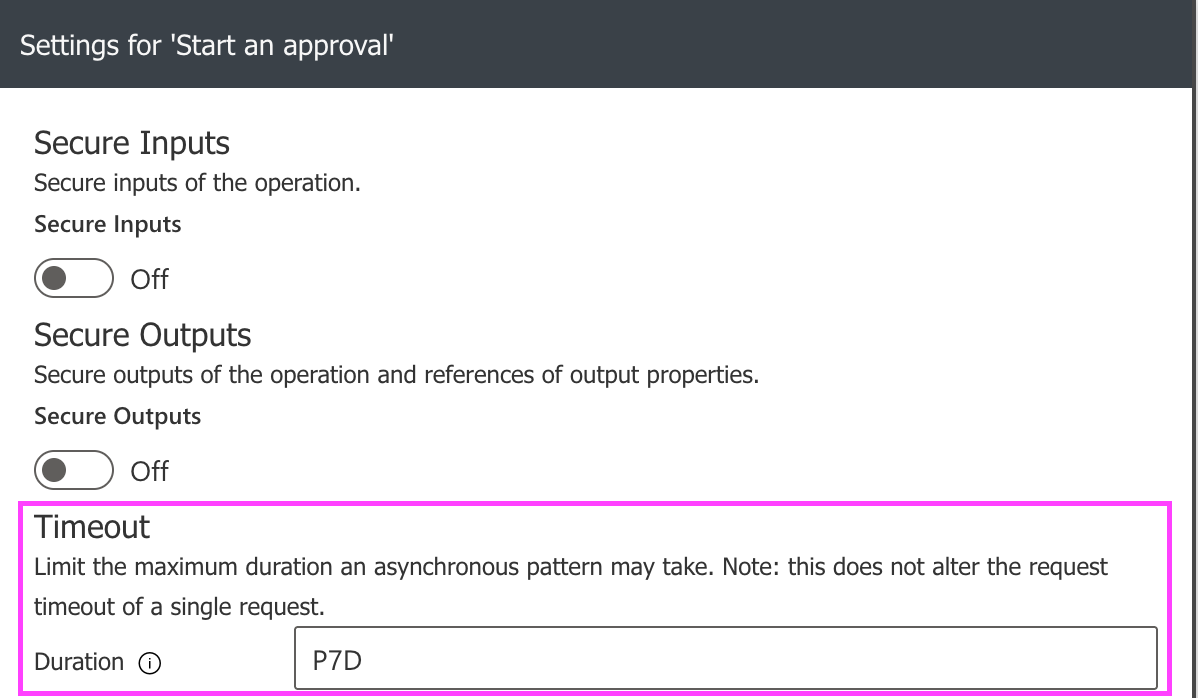 A 7 day approval duration
 - When an approver clicks Approve or Reject, the flow carried on as expected
- However, if no one responds within that **7-day **timeframe, the Approval action times out. This could be seen in the flow as:
ActionTimedOut.The workflow action 'Start_and_wait_for_an_approval' timed out while waiting for webhook callback. example of an approval timeout in a flow run
When this happens, the flow hasn't handled the timeout event properly. Instead of notifying the requestor, stopping cleanly or handling the error gracefully, it just skips ahead and moves straight to the end where there's an action to send a very unhelpful "Something went wrong" email to the user:
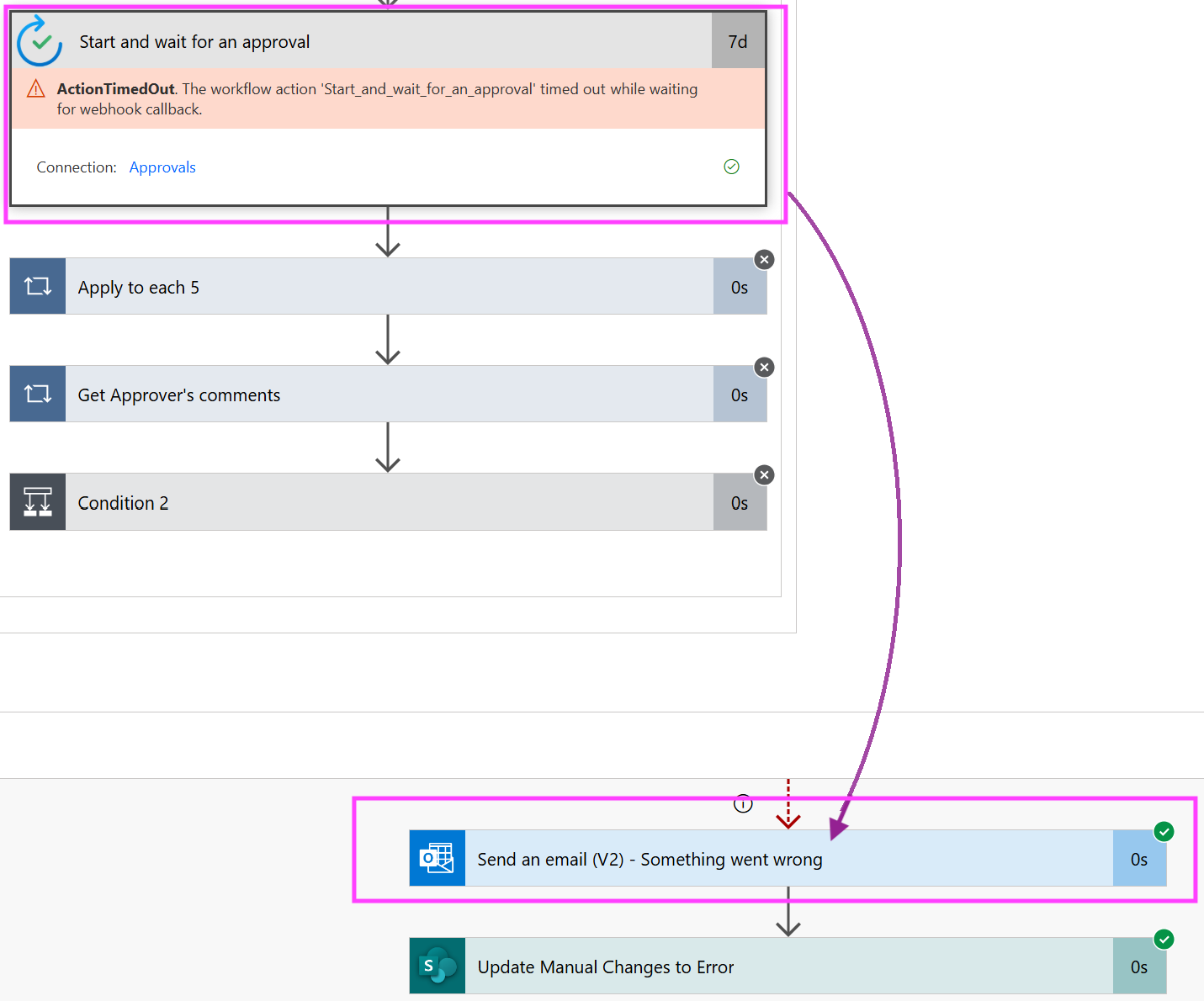
This is because within this approval flow, it was handling if the request was Approved or Rejected, but not if the time to approve has lapsed (no one has hit the Approve or Reject button).
How can this be fixed?
- We can add some logic so that when an Approval times out, the flow will automatically send a message back to the requestor letting the know their request wasn't actioned in time, something like this:
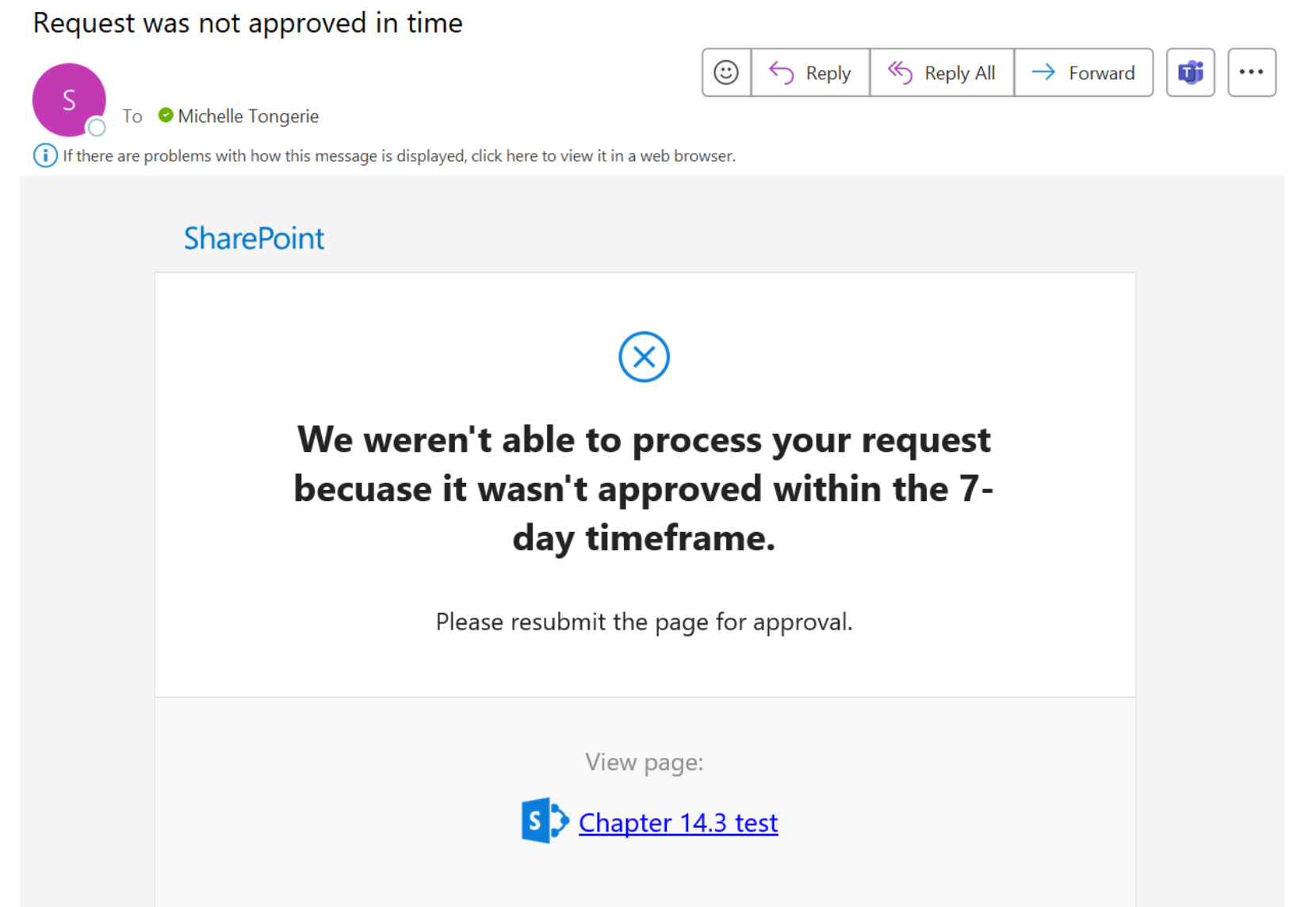 explains to the user that their request wasn't approved in time, with a direction to resubmit the approval
 - Once this message is sent, the flow can then stop, rather than just skipping straight to the end and the generic "Something went wrong" Email action.
To ensure both the normal approval paths (Approved and Reject) and the timeout are handled cleanly and don't interfere with each over, we need to
Technical design
- Add a scope
- to hand the Successful event from the Start and wait for an approval
- this then carries on the Approved / Rejected actions
- Add an email action to run if the Approval action has timed out.
_________
Fix:
All flows now update with logic to handle timed out approvals - will take effect from now on new flow runs submitted (doesn't affect existing flow runs that are in progress)
- In a flow, when an approval times out (expires)
- Updates the audit log (Manual changes list) with new workflow status 'Approval Expired'
- User is sent an email to advise that an approval was not received in time, and to please resubmit
Page\File is set back to Draft so the user can resubmit for approval.